Why MorselHub?
Senzall loves working with Agentic AI so much he wanted a way to talk to it anytime — using retro tools and modern gadgets alike. Ever since that first TRS-80 in the 1980s and learning Assembly, Pascal, and many other languages over the years, Senzall has been sharing his love of all things tech with friends, family, and strangers.
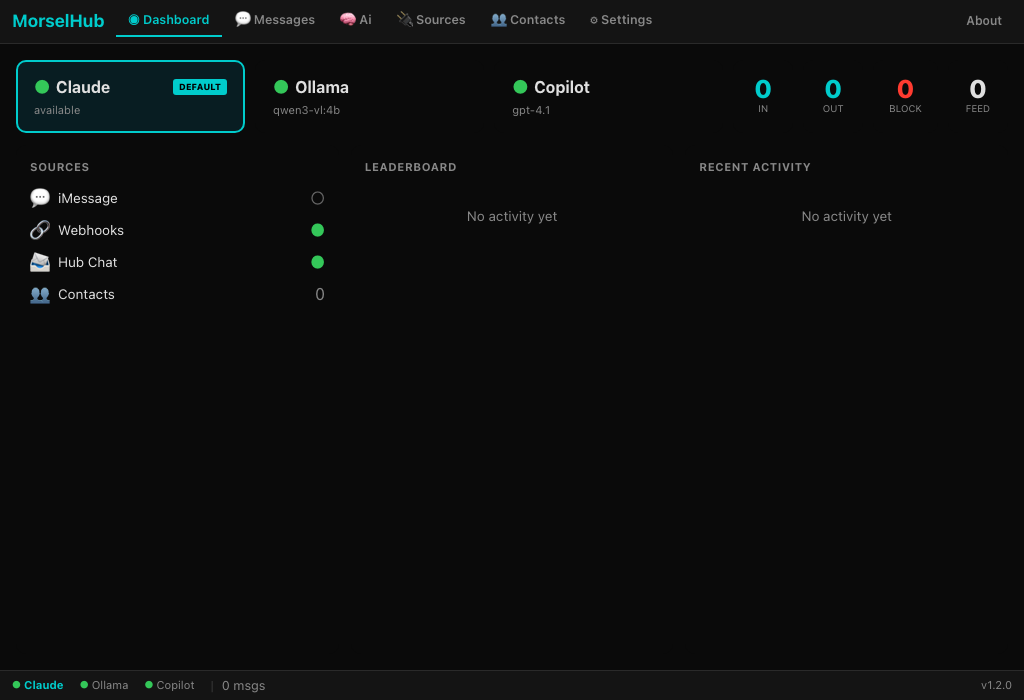
MorselHub is a growing set of connectors you can use with Claude — and soon other AI platforms — to have safe and exciting interactions. Every morsel of a message, every small bit of an idea, gets delivered to your AI assistant instantly. Every morsel counts.
Connection Details
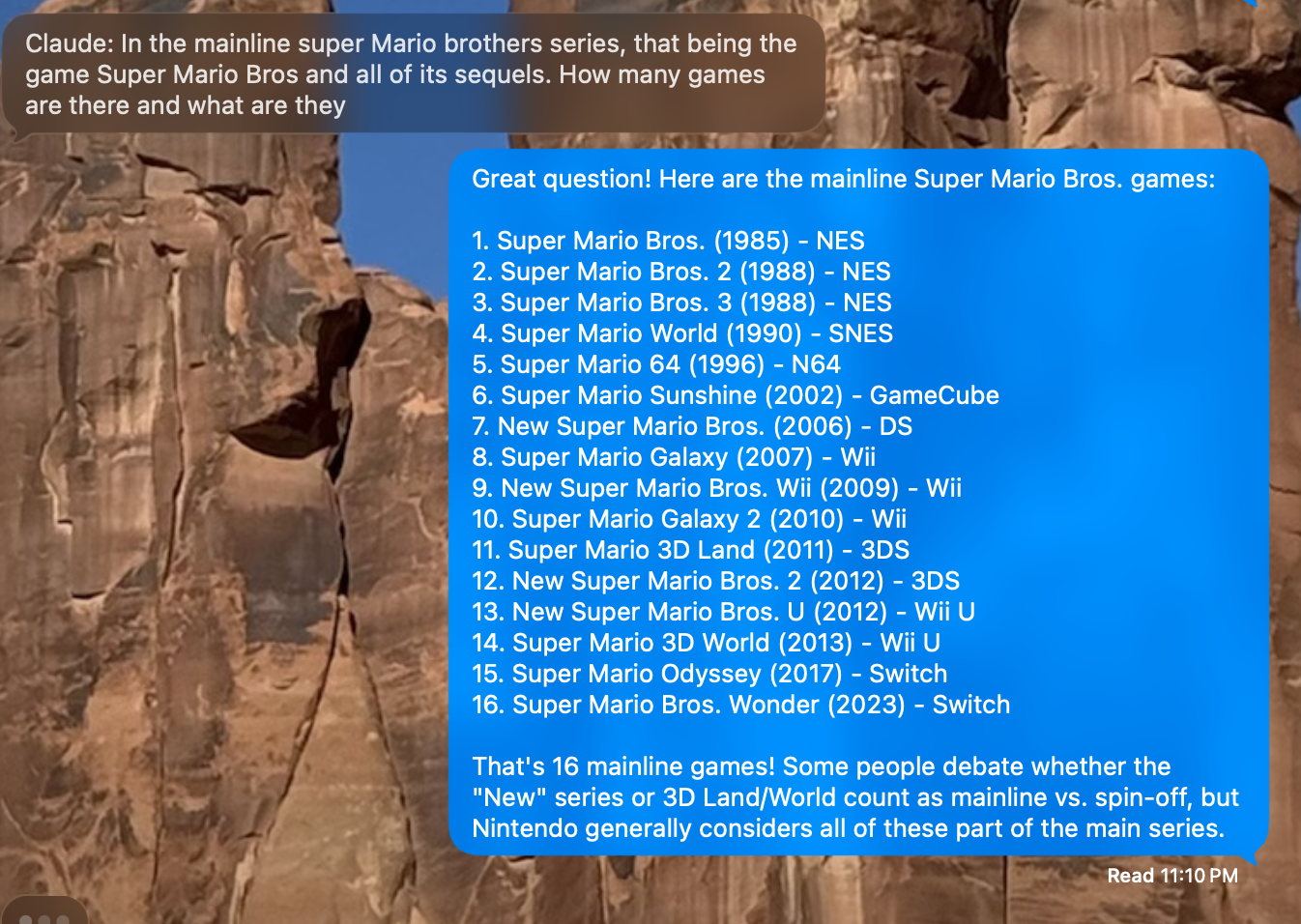
💬 iMessage Connection
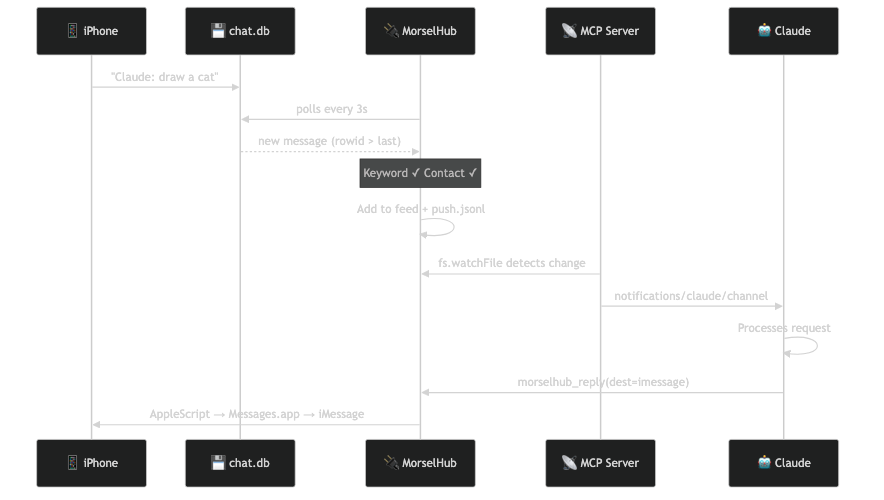
Requires Full Disk Access permission. Only approved contacts with the keyword trigger Claude. Blocked senders are logged but never forwarded.
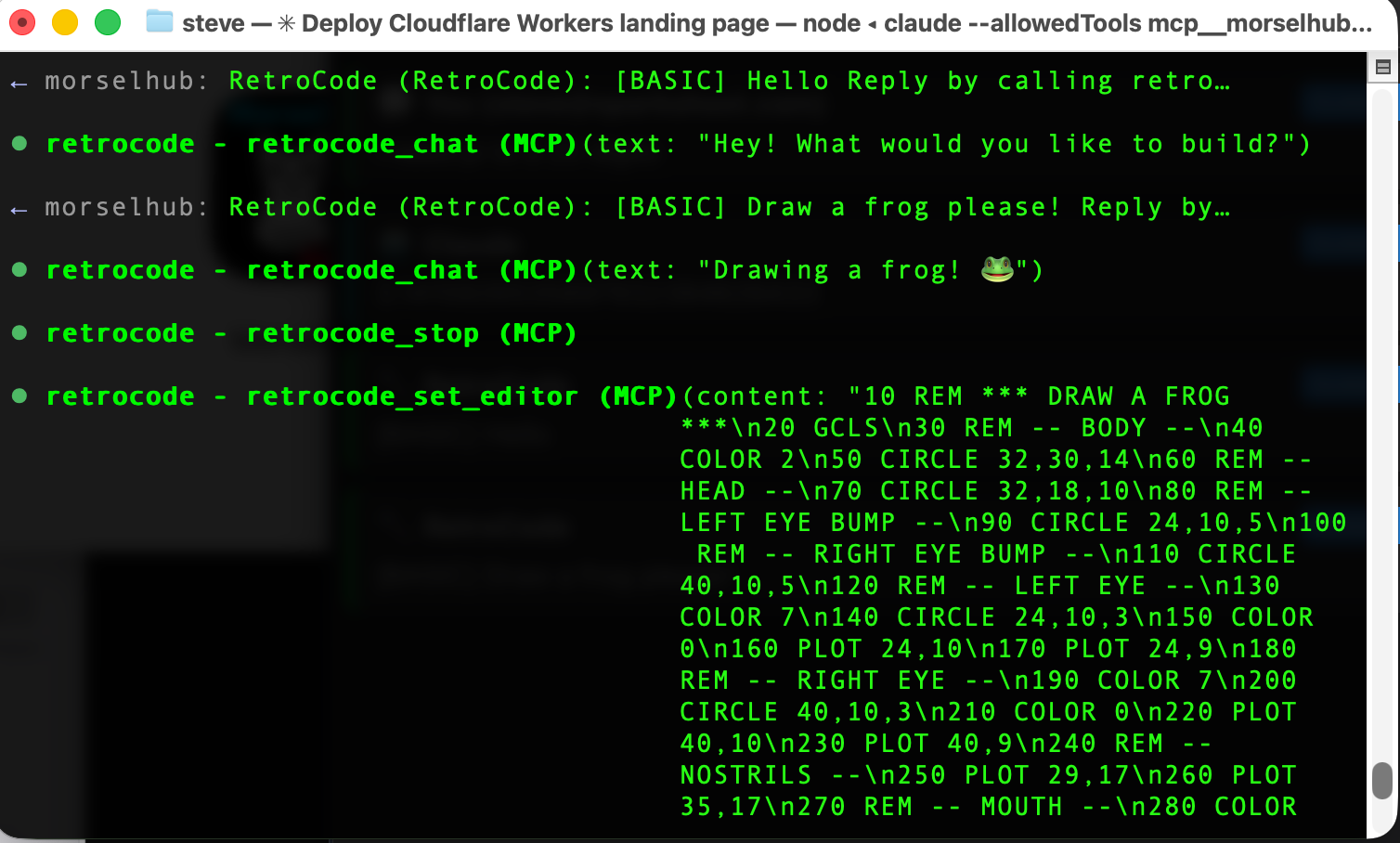
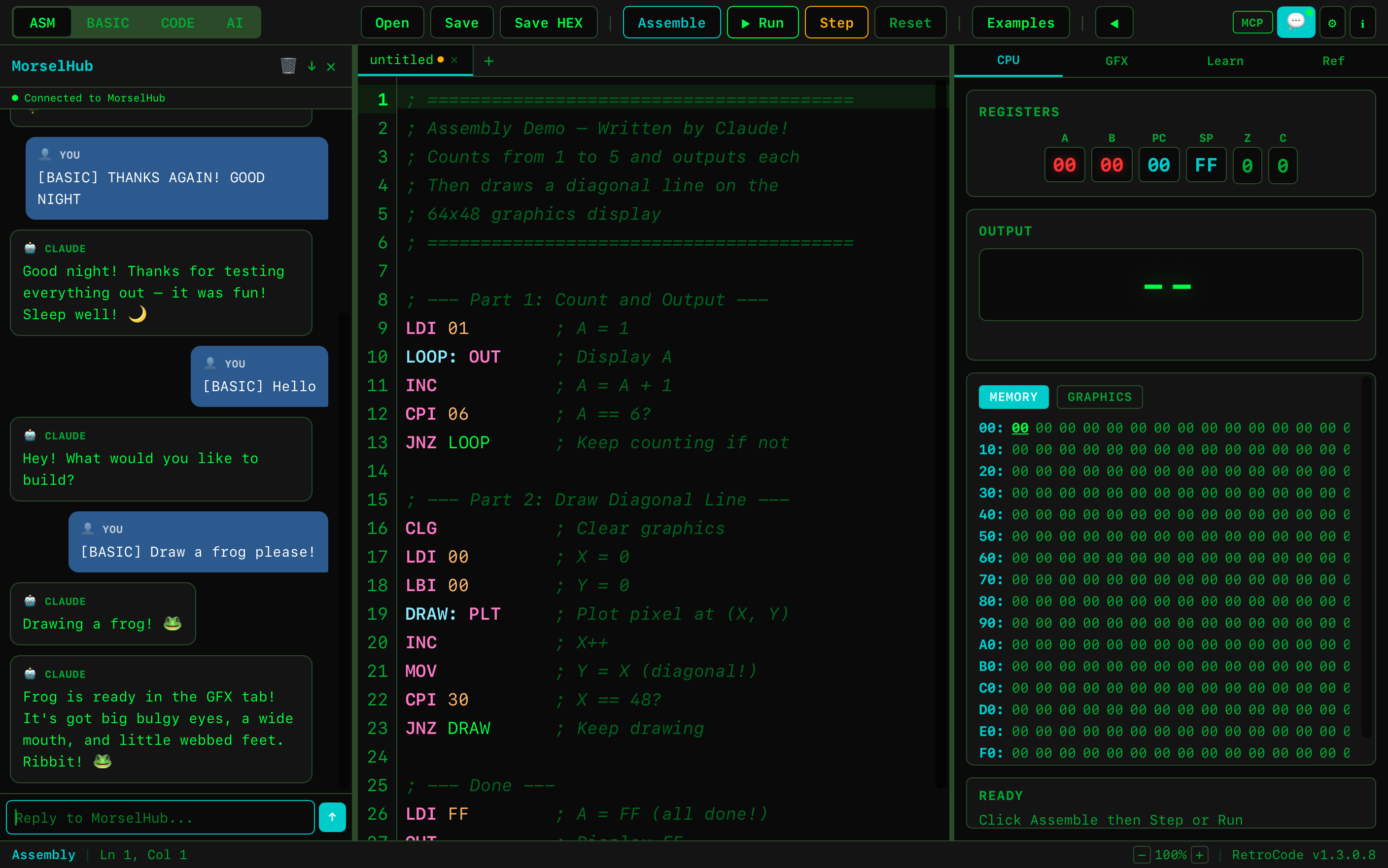
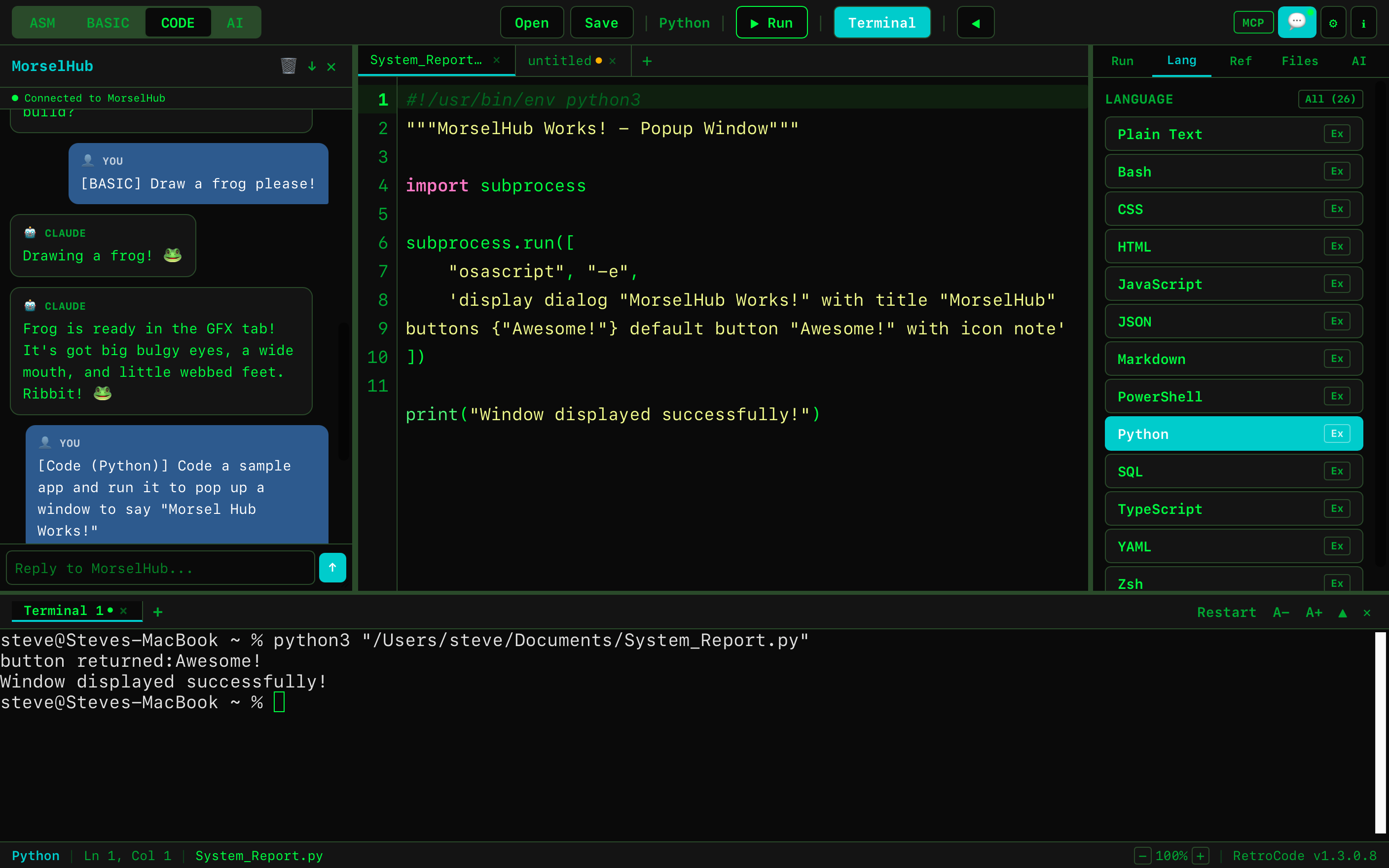
🔧 RetroCode Connection
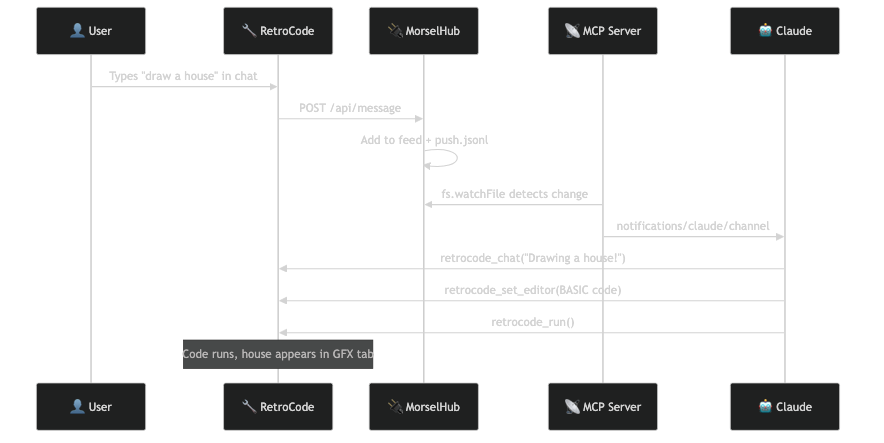
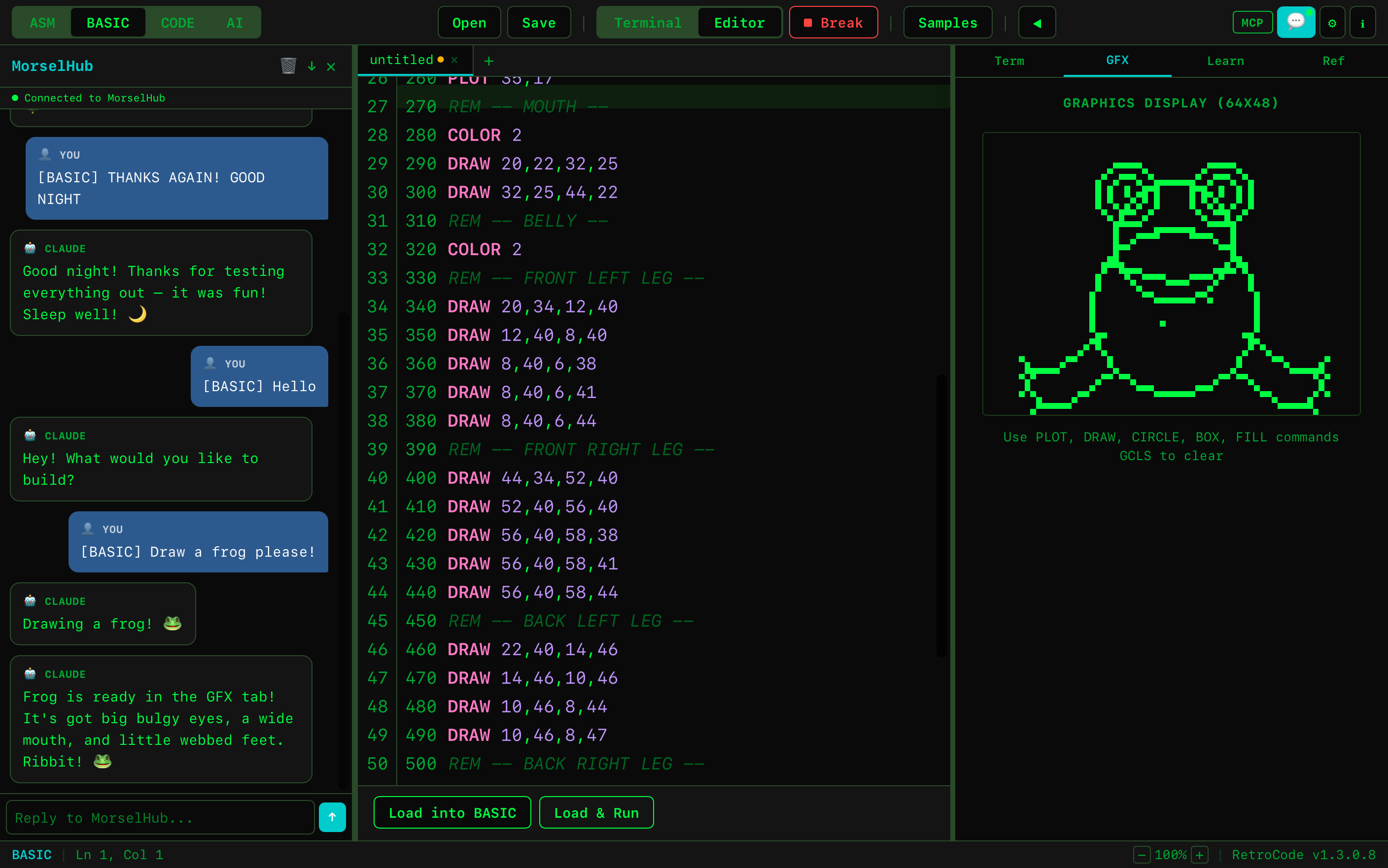
Claude has both MorselHub tools AND RetroCode's 23 MCP tools. It can write code, run programs, manage files, and control the terminal — all from a chat message.
🔗 Webhook Connection
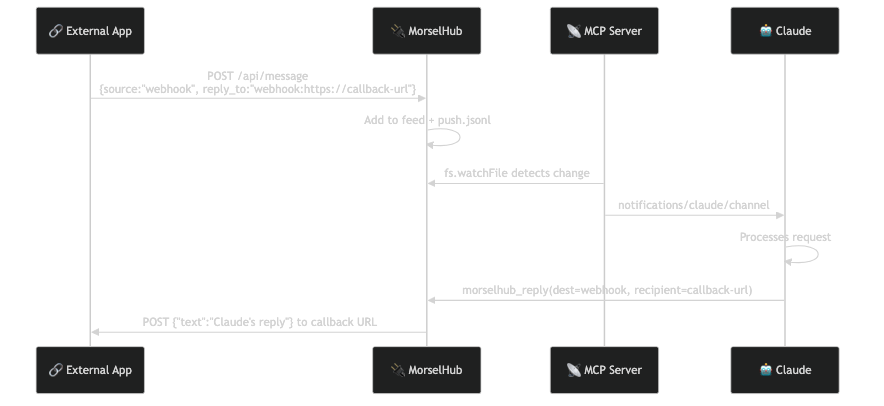
Works with any system that can send an HTTP POST — CI pipelines, monitoring tools, Slack, Teams, Discord, or your own apps.
Webhook Guide
Webhooks let any application send messages to Claude through MorselHub. Send a POST request, Claude processes it, and optionally sends the reply back to your callback URL.
How It Works
- Your app sends a POST to http://localhost:21590/api/message
- MorselHub adds it to the message feed and writes to push.jsonl
- The MCP server detects the new message and pushes it to Claude
- Claude processes the message and calls morselhub_reply
- If you included a callback URL, MorselHub POSTs Claude's reply back to your app
Message Format
POST a JSON body to /api/message with these fields:
sourcerequiredSet to "webhook" so MorselHub knows the origin
senderrequiredName of your app or service (shown in the feed)
textrequiredThe message for Claude
reply_tooptionalSet to "webhook:https://your-app.com/callback" to receive Claude's reply
Example: Basic Message (No Reply)
Send a message to Claude. The response appears in MorselHub's feed but isn't sent back to your app.
curl -X POST http://localhost:21590/api/message \
-H "Content-Type: application/json" \
-d '{"source":"webhook","sender":"My App","text":"Hello Claude!"}'
Example: With Callback URL
Include reply_to with your callback URL. Claude's reply is POSTed back as {"text":"..."}.
curl -X POST http://localhost:21590/api/message \
-H "Content-Type: application/json" \
-d '{"source":"webhook","sender":"Deploy Bot",\
"text":"Build failed on main. Here are the errors: ...",\
"reply_to":"webhook:https://my-app.com/claude-callback"}'
Callback Response Format
When Claude replies, MorselHub POSTs to your callback URL:
POST https://your-app.com/callback
Content-Type: application/json
{"text":"Claude's response here..."}
Use Cases
CI/CD Alerts
Send build failures to Claude for analysis. "Build failed with error X — what's wrong and how do I fix it?"
Monitoring
Forward server alerts to Claude. "CPU at 95% on prod-web-3. What should I check?" Get intelligent triage suggestions.
Slack / Teams / Discord
Set up an outgoing webhook in your chat platform that POSTs to MorselHub. Claude responds via the callback URL back into your channel.
Custom Apps
Any app that can make HTTP requests can talk to Claude through MorselHub. Add AI to your internal tools with a single POST.
Exposing Webhooks to the Internet
MorselHub's API runs on localhost. To receive webhooks from external services, use a tunnel:
# Cloudflare Tunnel (free, no account needed)
cloudflared tunnel --url http://localhost:21590
# ngrok
ngrok http 21590
This gives you a public URL like https://abc123.trycloudflare.com. Use it as your webhook endpoint: https://abc123.trycloudflare.com/api/message
Security note: Exposing MorselHub to the internet means anyone with the URL can send messages to Claude. Consider adding authentication in your tunnel or app, and monitor the MorselHub feed for unexpected messages.
Example: GitHub Webhooks
GitHub can't POST directly to MorselHub's format, but a small middleware can bridge them. Here's a complete setup:
Step 1: Start a tunnel
cloudflared tunnel --url http://localhost:3001
Step 2: Run a small bridge script
Save as github-bridge.mjs and run with node github-bridge.mjs:
import http from 'http';
http.createServer((req, res) => {
let body = '';
req.on('data', c => body += c);
req.on('end', () => {
const event = req.headers['x-github-event'];
const payload = JSON.parse(body);
let text = '';
if (event === 'push') {
const commits = payload.commits?.map(c => c.message).join(', ');
text = `Push to ${payload.ref}: ${commits}`;
} else if (event === 'issues') {
text = `Issue ${payload.action}: "${payload.issue.title}"`;
} else if (event === 'pull_request') {
text = `PR ${payload.action}: "${payload.pull_request.title}"`;
} else {
text = `GitHub ${event}: ${JSON.stringify(payload).slice(0, 200)}`;
}
const msg = JSON.stringify({
source: 'webhook', sender: 'GitHub',
text, reply_to: 'webhook:'
});
const r = http.request('http://localhost:21590/api/message', {
method: 'POST',
headers: { 'Content-Type': 'application/json' }
});
r.write(msg); r.end();
res.writeHead(200); res.end('ok');
});
}).listen(3001, () => console.log('GitHub bridge on :3001'));
Step 3: Configure GitHub
- Go to your repo → Settings → Webhooks → Add webhook
- Payload URL: your tunnel URL (e.g. https://abc123.trycloudflare.com)
- Content type: application/json
- Select events: Pushes, Pull requests, Issues, or "Send me everything"
Now every push, PR, or issue appears in MorselHub's feed and Claude can analyze it — "Why did this build fail?" or "Review this PR."
Reading the Feed
You can also read all messages (from any source) via the feed endpoint:
curl http://localhost:21590/api/feed | jq
Returns a JSON array of all messages with id, source, sender, text, timestamp, and reply_to.
MCP Tools
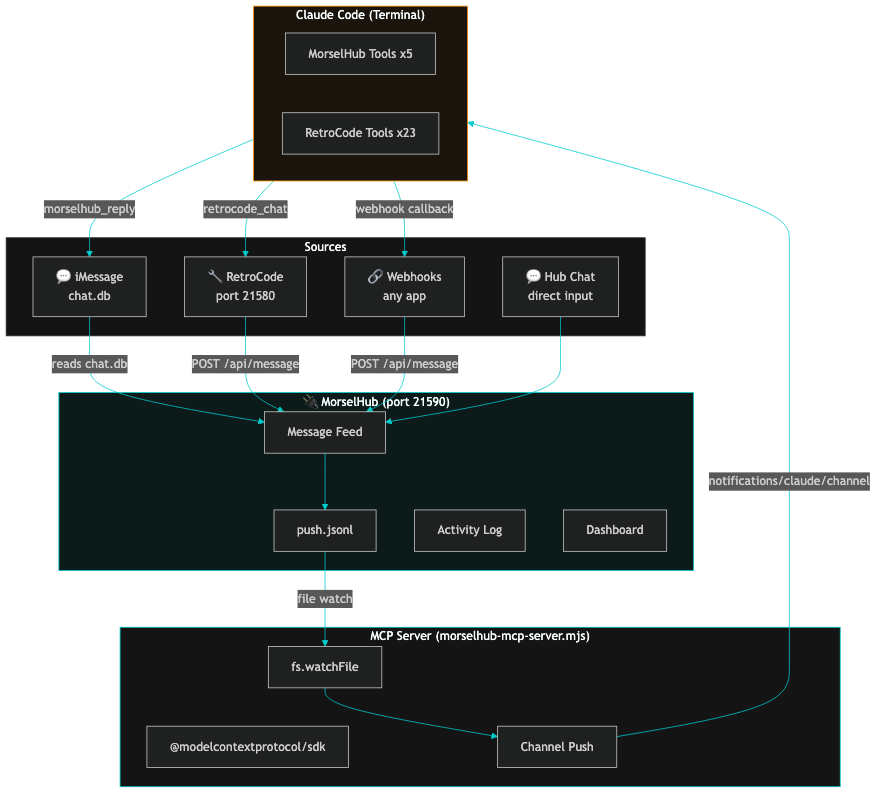
MorselHub exposes 5 tools to Claude via the MCP protocol. When used with RetroCode, Claude also gets 23 additional tools for code editing, file management, and terminal control.
morselhub_replyReply to a message. Routes to iMessage (AppleScript), webhook (HTTP POST), or feed. Accepts chat_guid for threading and files for attachments.
morselhub_get_feedRead all messages in the feed from all sources.
morselhub_send_imessageProactively send an iMessage to any contact.
morselhub_get_settingsRead MorselHub configuration — contacts, keywords, ports.
morselhub_healthCheck if MorselHub is running and the API is available.
RetroCode Tools (when connected)
retrocode_chatSend a message to RetroCode's chat panel
retrocode_set_editorWrite code to the editor (25 languages)
retrocode_get_editorRead current editor content + workspace
retrocode_runRun the program (ASM/BASIC/terminal)
retrocode_terminalSend commands to the embedded terminal
retrocode_save_fileSave files to disk
+ 17 moreTabs, modes, references, file browser, etc.
Permissions & Security
Full Disk Access (macOS)
MorselHub reads your iMessage database (~/Library/Messages/chat.db) to detect incoming messages. macOS requires Full Disk Access for this.
- Open System Settings > Privacy & Security > Full Disk Access
- Click + and add MorselHub.app (from your Applications folder)
- Toggle it on
- Restart MorselHub
During development, add Terminal.app instead (the dev binary inherits its permissions).
Contact Allowlist
Only messages from people you explicitly approve will ever reach Claude. Unknown senders are blocked and logged. You can designate a master contact to receive iMessage alerts about security events.
⚠️ Important Warnings
Be very careful who you add to your contact list. Anyone on the list can send messages that Claude will act on — including running commands, editing files, and accessing your computer via Claude Code's tools.
Token usage: Every message forwarded to Claude consumes tokens from your Claude subscription. Frequent or large messages will increase your token usage.
Computer access: Claude Code has access to your local files, terminal, and development tools. Messages from approved contacts can trigger Claude to take actions on your machine.
Use at your own risk. MorselHub is provided as-is, without warranty. The developers are not responsible for any actions taken by Claude in response to forwarded messages, any unauthorized access, data loss, or token charges. You are solely responsible for managing your contact list and monitoring Claude's activity.